Stripe vs Paddle: which billing platform fits your SaaS
By Julian Pryor · Updated 7 Oct 2026
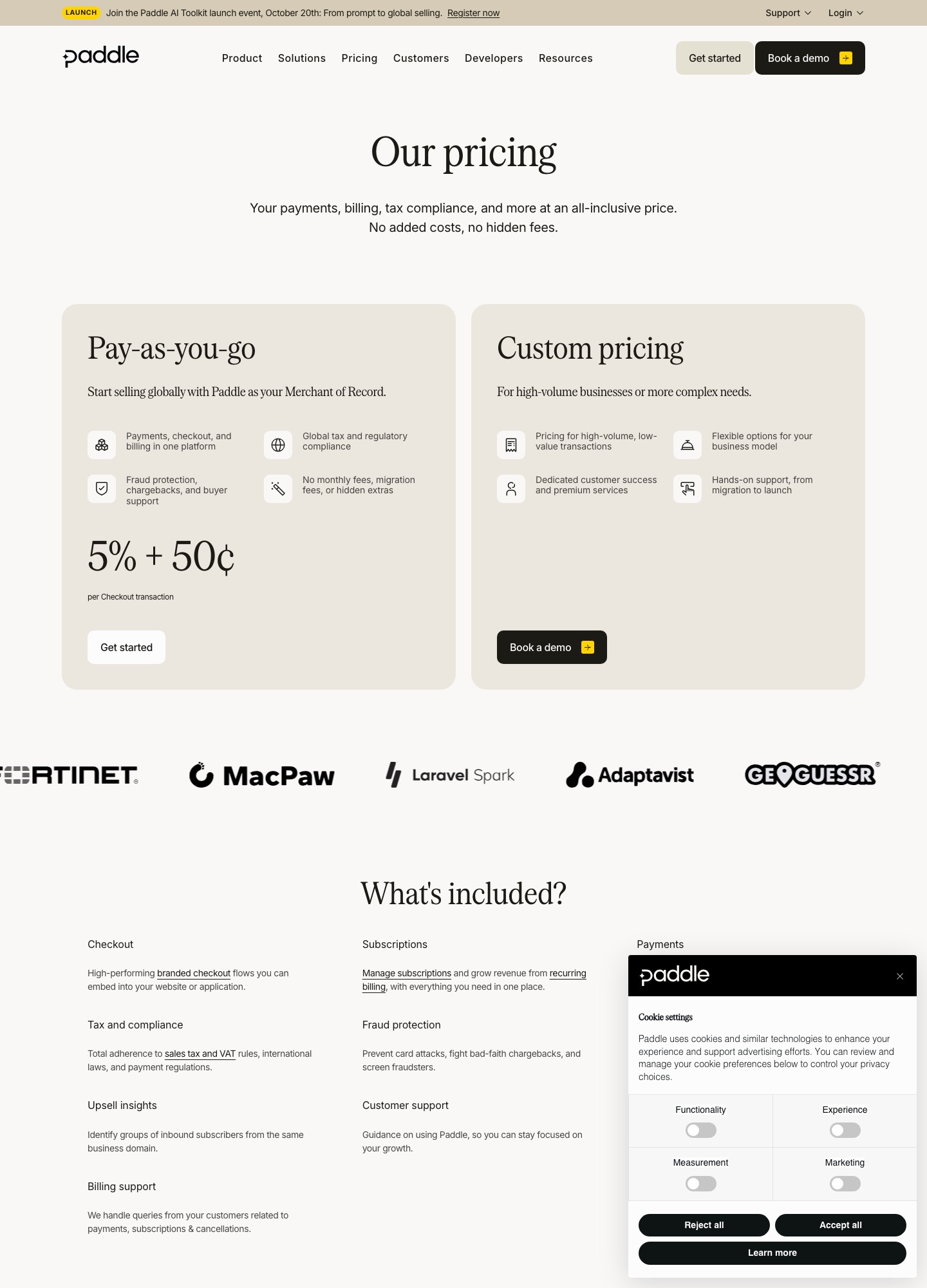
Stripe takes 2.9% + 30¢ per successful domestic card payment and leaves you as the seller of record. Paddle takes 5% + 50¢ per transaction and acts as the merchant of record, carrying tax compliance, fraud and chargebacks. Stripe also sells its own merchant-of-record option for an extra 3.5%. So the real choice is how much of the tax and liability work you want to own, and what each payment is worth.
Short answer
Choose Stripe at its standard rate if you sell mostly into regions where you already file tax and you want control over invoices, usage billing and checkout. Choose Paddle if you sell worldwide from a small team and want one flat rate that includes tax and chargebacks. Choose Stripe with Managed Payments only if you want Stripe's tooling and your payments are small. The crossover is about $14.29 per payment; below it Stripe's option undercuts Paddle, and above it Paddle is cheaper.
What each one charges
Fees below were read from each vendor's pricing page on 7 October 2026. Neither charges a monthly platform fee on its headline rate.
| Item | Stripe | Paddle |
|---|---|---|
| Headline rate | 2.9% + 30¢ per successful domestic card transaction | 5% + 50¢ per transaction |
| Extras on the headline rate | +1.5% for international cards; +1% if currency conversion is required | None listed; "no monthly fees, migration fees, or hidden extras" |
| Subscription billing layer | Stripe Billing: 0.7% of Billing volume on pay-as-you-go, or from $620 a month on a one-year contract | Subscriptions and checkout are part of the one rate |
| Merchant of record | Optional Managed Payments: 3.5% per transaction in addition to payment fees | Built in: tax, fraud protection, chargebacks and buyer support |
| Tax tooling | Separate product: Tax Complete from $90 a month (one-year contract), or Tax Basic at 0.5% per transaction where you are registered | "Global tax and regulatory compliance" is included |
| Custom pricing | IC+ pricing, volume and country-specific rates through sales | Custom pricing for high-volume, low-value transactions, via a demo |

The fee math at four ticket sizes
Both vendors use a percentage plus a flat amount, and the flat amounts differ, so small payments behave differently from large ones. The table applies each published formula to a single domestic card payment. The middle column is Stripe's standard rate plus its 3.5% merchant-of-record fee, which is the like-for-like comparison with Paddle.
| Customer pays | Stripe standard (2.9% + 30¢) | Stripe with Managed Payments (6.4% + 30¢) | Paddle (5% + 50¢) |
|---|---|---|---|
| $9 | $0.56 | $0.88 | $0.95 |
| $29 | $1.14 | $2.16 | $1.95 |
| $99 | $3.17 | $6.64 | $5.45 |
| $499 | $14.77 | $32.24 | $25.45 |
The crossover sits at about $14.29: 1.4% of the payment equals the 20¢ difference in flat fees. Below it, Stripe's merchant-of-record option is cheaper than Paddle; above it, Paddle is. If you also run subscriptions through Stripe Billing, add its 0.7% to the Stripe columns.
Scale that to 500 subscribers on a $29 monthly plan, which is $14,500 of monthly billings. Payment fees alone come to:
| Setup | Fees per month | Fees per year |
|---|---|---|
| Stripe, standard rate | $570.50 | $6,846 |
| Stripe, standard rate plus Billing's 0.7% | $672.00 | $8,064 |
| Stripe with Managed Payments | $1,078.00 | $12,936 |
| Paddle | $975.00 | $11,700 |
The premium over the standard rate is therefore about $404 a month, or $4,854 a year, and that is the yearly price of having someone else be your seller. If registering, collecting and filing tax in every place your customers live would cost you more than that in accountant time and software, the higher rate is cheaper in total. If nearly all your revenue comes from one country where you already file returns, the standard rate keeps that money. At this ticket size the two merchant-of-record options sit about $1,236 a year apart, in the cheaper one's favour.
Who is the seller: the tax and liability difference
With Stripe's standard rate you are the merchant. You set up products, appear on the invoice as the seller, and register for VAT, GST or US sales tax wherever your customers' locations create an obligation. Chargebacks land with you. With Paddle the sale is between Paddle and your customer. Its pricing page says "Start selling globally with Paddle as your Merchant of Record" and lists tax compliance, fraud protection, chargebacks and buyer support among what the rate covers. Stripe's Managed Payments is the same idea on Stripe: its page says it includes indirect tax compliance and remittance in more than 75 countries, fraud prevention, dispute management, invoicing and customer support.
The cost of any merchant-of-record model beyond the fee is control. You hand checkout, tax rules and billing records to the vendor, and your customer's invoice names the vendor as the seller. For low-ticket B2C and small-business software that is usually a good trade. For enterprise contracts that need your own invoice, purchase-order workflows or negotiated terms, owning the relationship through Stripe's standard rate is the easier path.
Billing events that drive your email
Both products stream events you can turn into customer messages.
- Stripe. The subscription webhooks include
invoice.paid,invoice.payment_failedandcustomer.subscription.deleted. Stripe's documentation says to provision access oninvoice.paid, and oninvoice.payment_failedto notify the customer, enable Smart Retries or collect a new payment method. Failed webhook deliveries are retried in live mode for up to three days with exponential backoff (Stripe webhook docs). Stripe can also send failed-payment, renewal-reminder and expiring-card emails itself, each with a link where the customer updates a payment method (customer emails docs). - Paddle. Its webhook list includes
transaction.payment_failed,transaction.past_due,subscription.past_due,subscription.canceledandsubscription.imported, and it documents signature verification (Paddle webhook docs). The event names differ from Stripe's, so handlers are not portable.
Retrying a failed card happens inside the billing system in both cases. What you add is the message that gets the customer to fix it, and you need to decide whether the vendor's built-in emails or your lifecycle tool owns that, so one failure never produces two messages.
If you run a SaaS on either
Sequenzy's pricing page lists native Stripe, Paddle and Lemon Squeezy integrations, and its site says a failed invoice.payment_failed event starts a dunning email flow with a card-update page; payment retry logic stays in your billing system. It has a free plan of 2,500 emails a month, then $19 for 15,000 and $29 for 30,000.
Moving between them
Whichever direction you go, treat it as five steps.
- Export products, prices, coupons, active subscriptions and invoice history, and map each plan to its counterpart on the new platform.
- Open new signups on the new platform first. This avoids card migration entirely for that cohort and shows you real payment, tax and refund behaviour.
- Ask both vendors how saved cards move. Paddle's pricing page lists a migration service ("migrate without putting subscribers at risk in the process") and its webhooks include
subscription.imported. Without a card transfer, every existing subscriber has to re-enter a card, so expect some churn at that step. - Rewrite and replay webhook handlers. Map
invoice.paidandinvoice.payment_failedto their Paddle counterparts by hand, since the states are not one-to-one, and test duplicate and out-of-order delivery. - Move existing subscribers in cohorts, smallest plans first, and keep the old system live until a full billing cycle has reconciled.
Which to choose
- Stripe at the standard rate fits usage-based billing, custom invoicing, marketplaces and enterprise deals, provided someone owns tax registration and filing.
- Paddle fits a small team selling software internationally to individuals and small businesses, where a flat 5% + 50¢ that includes tax, fraud and buyer support beats building that function.
- Stripe with Managed Payments fits teams already on Stripe whose payments are small. The flat 30¢ beats a flat 50¢ up to the crossover of about $14.29.
- Revisit when revenue grows. Both vendors offer custom pricing at high volume, and a flat 50¢ stops mattering once average payments are in the hundreds.
Related reading: choosing a billing platform, Chargebee vs Recurly, Stripe alternatives and the billing and subscription category.
Stripe vs Paddle: common questions
Is Paddle more expensive than Stripe?
Against Stripe's plain card rate, yes: 5% + 50¢ against 2.9% + 30¢. On a $29 plan that is $1.95 against $1.14. But the two are not selling the same thing. Paddle includes tax compliance, fraud and chargebacks; with Stripe's standard rate you handle those yourself. Stripe also sells a merchant-of-record option at 3.5% extra. Between the two merchant-of-record options the crossover is about $14.29 per payment. Above that size Paddle is cheaper.
Does Stripe handle sales tax and VAT for me?
Not on the standard rate. Stripe sells tax calculation and filing as a separate product (Tax Complete lists from $90 a month on a one-year contract, Tax Basic 0.5% per transaction where you are registered), and you remain the seller. Its Managed Payments product makes Stripe the merchant of record for 3.5% on top of payment fees.
Which one is easier to wire up to email automation?
Both emit webhooks for failed payments and cancellations. Stripe sends invoice.payment_failed and invoice.paid, and can email customers about failed payments itself with a link to update the card. Paddle sends transaction.payment_failed, subscription.past_due and subscription.canceled. The work is deciding which system emails the customer, so the same failure does not trigger two messages.
Can I switch from Stripe to Paddle later?
Yes, but treat it as a migration project. Paddle lists a migration service and a subscription.imported event, which point to importing from another provider being a supported path. Saved cards only move with the cooperation of both processors, so most teams put new signups on the new platform first, then move existing subscribers in cohorts with the webhook handlers rewritten and replayed.