Klaviyo vs Drip: two profile-priced platforms, and which one a SaaS should pick
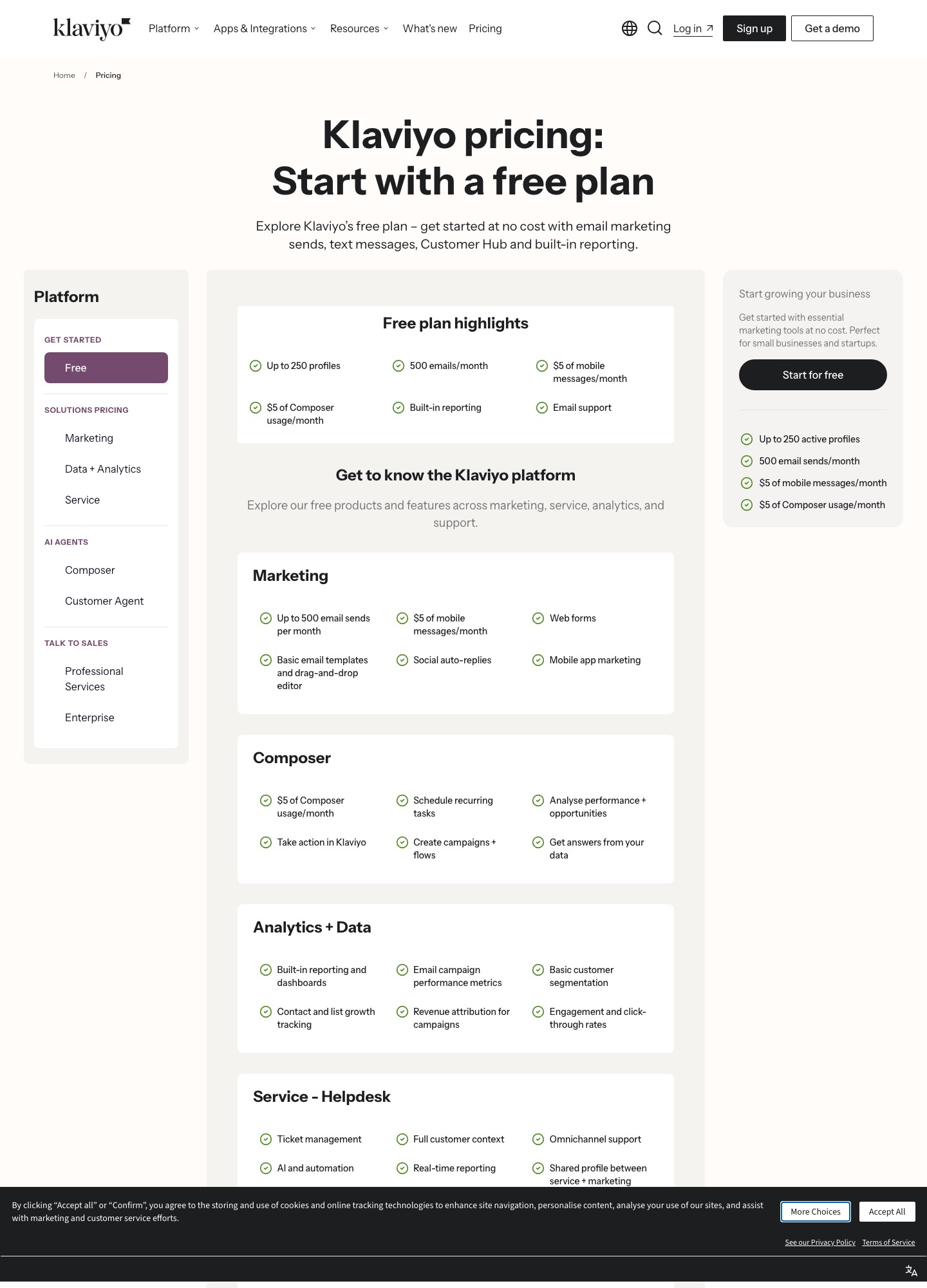
Klaviyo and Drip both charge by the number of people on your list, and from 2,500 to 25,000 profiles their monthly prices stay within $4 to $31 of each other. The real differences are a free plan versus a 14-day trial, how many emails a tier lets you send, and what each one syncs from Stripe. Klaviyo is the better start for a list under 250 people, and Drip is the cheaper pick at most sizes above that.
By Julian Pryor · Updated 7 Oct 2026
Short answer
Pick Klaviyo if you want a free plan to build flows on first, or you want email, SMS credit, a helpdesk and AI agents under one vendor. Pick Drip if your list is already 2,500 or more, you send heavily, and you want a flat list-size price with unlimited sends up to 30,000 people. If you are a software company rather than a store, read the SaaS section before choosing either, because neither pricing page is written around trials, upgrades or cancellations.
What each one costs by list size
Klaviyo's figures are its Email plan calculator, and Drip's are its list-size slider, both read on 7 October 2026. Klaviyo's Email plus SMS tiers did not appear in the calculator, so they are left out. The monthly gap column is Klaviyo minus Drip.
| Profiles or people | Klaviyo Email | Drip | Klaviyo minus Drip |
|---|---|---|---|
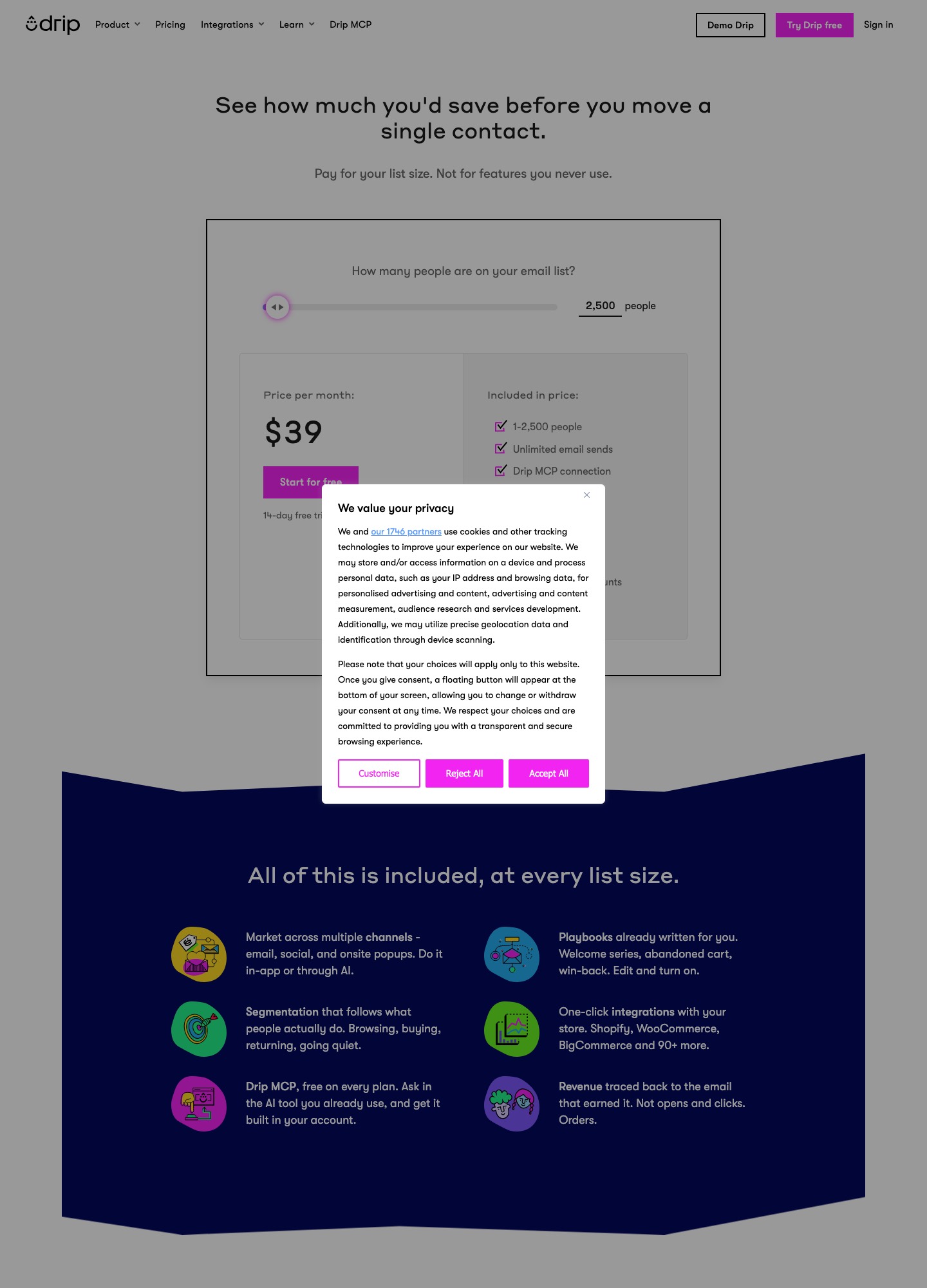
| 250 | Free plan | Starts at $39 (14-day trial) | $39 less on Klaviyo |
| 1,000 | $30 | $39 (tier covers 1 to 2,500) | -$9 |
| 2,500 | $60 | $39 | +$21 |
| 5,000 | $100 | $89 | +$11 |
| 10,000 | $150 | $154 | -$4 |
| 25,000 | $400 | $369 | +$31 |
At 2,500 profiles the $21 gap is $252 a year, and at 25,000 the $31 gap is $372 a year. Klaviyo's price steps up quickly between 5,000 ($100) and 25,000 ($400), a fourfold rise for a fivefold list, while Drip goes from $89 to $369, about 4.1 times. Prices are on klaviyo.com/pricing and drip.com/pricing.
Send limits are where the tiers really differ
Klaviyo ties a monthly email allowance to each profile tier: 5,000 emails at 500 profiles, 10,000 at 1,000, 25,000 at 2,500, 50,000 at 5,000, 100,000 at 10,000 and 250,000 at 25,000. That is ten emails per profile at every step. Drip's slider lists unlimited email sends from the 2,500 tier through 30,000 people, then shows 480,000 sends at 40,000 people and 600,000 at 50,000, which is twelve per person.
A concrete case: a 5,000-person list that gets a weekly digest plus two lifecycle emails a month receives about 6 emails each, or 30,000 sends, and fits either tool. Raise that to 12 emails each and the total is 60,000, which is over Klaviyo's 50,000 allowance at that tier and still inside Drip's unlimited range at $89. Klaviyo's page does not state the overage rule in the readout taken, so a heavy sender should ask Klaviyo for it in writing before committing.
Free plan against free trial
Klaviyo's free plan covers up to 250 profiles and 500 emails a month, with $5 of mobile messages and $5 of Composer usage, plus web forms, a drag-and-drop editor, basic segmentation and revenue attribution for campaigns. Drip has no ongoing free tier: its pricing page offers a 14-day trial without a credit card. For a SaaS in pre-launch with a few hundred waitlist signups, Klaviyo's free plan will carry a welcome flow indefinitely, while a Drip trial forces a decision within two weeks.
What the extra money buys as you grow
Drip's slider changes the support level with list size: email support at 5,000 people, chat and email support at 10,000, then free migration and personalized onboarding at 25,000. Its tiers at 2,500 to 10,000 mention up to 50 workflows, dynamic segments and onsite campaigns. Klaviyo's pricing page groups its products differently, with marketing, analytics and data, a helpdesk with ticket management, and two AI agents named Composer and Customer Agent. If you want support tickets and campaigns reported against the same profile, Klaviyo's page is the one that lists both.
Stripe and subscription events for a SaaS
Klaviyo's Stripe help article says you enable the integration, then add a Stripe webhook that sends every charge and invoice event. Four things come through: an invoice being issued with its line items, a failed payment, a refund and a successful payment. That is enough to trigger a failed-payment flow from invoice.payment_failed or a receipt on a successful charge. It does not describe trial start, trial end or cancellation states, so those emails need events your own backend sends through Klaviyo's API.
Drip lists Stripe, Shopify, WooCommerce, BigCommerce, Typeform and Zapier as integrations. Its API reference includes calls to record an event, record events in a batch, create or update subscribers, apply tags and subscribe someone to an email series campaign. I could not open Drip's own Stripe integration page on 7 October 2026 because it returned an access error, so how far that sync goes is not covered here. For a SaaS the safe route with either tool is the same: have your server send a named event when a trial starts, ends or is cancelled, and trigger the flow on that event.
Which one to pick
- Start on Klaviyo if you have fewer than 250 contacts, or you want SMS credit and a helpdesk from the same vendor.
- Start on Drip if you already have 2,500 or more people, send many emails per person, or run a store alongside a product and want Shopify or WooCommerce data in the same account.
- Look elsewhere if the first emails you plan are trial-ending and failed-payment sequences for a subscription product. Loops vs Klaviyo and Loops vs Drip show what a SaaS-first tool costs against each.
Moving between the two
- Export people with their unsubscribed and suppressed status before touching anything, and import those as suppressed so nobody who opted out is mailed again.
- Rebuild the welcome and abandoned-cart or trial flows first, because those carry the revenue. Drip's page lists free migration at the 25,000 tier, so ask what they will move for a smaller list.
- Add the new sending domain's SPF and DKIM records and send to your most engaged segment for a week before moving the rest.
- Keep the old account on its cheapest tier for one billing cycle while you compare the first month of results.
Other pairings that share a buyer with this one:all comparisons, Klaviyo vs Brevo, Klaviyo vs HubSpot and Encharge vs Drip.
Klaviyo vs Drip: common questions
Is Klaviyo or Drip cheaper?
It depends on list size. At 2,500 profiles Klaviyo lists $60 and Drip $39. At 5,000 it is $100 against $89. At 10,000 the order flips: Klaviyo $150, Drip $154. At 25,000 Klaviyo is $400 and Drip $369. So Drip is cheaper at three of the four sizes above 1,000 read on 7 October 2026, and the gaps are small except at 2,500.
Does Drip have a free plan?
No. Drip's pricing page shows a 14-day free trial with no credit card required and no ongoing free tier. Klaviyo has a free plan for up to 250 profiles and 500 emails a month, plus $5 of mobile messages.
Can either tool react to Stripe subscription events?
Klaviyo's help center describes a Stripe integration that syncs invoice issued, failed payment, refunded payment and successful payment data through webhooks. Drip lists Stripe among its integrations, and its API has a "Record an event" call for sending your own events. Neither description covers trial-ending or cancellation states, so those usually have to be sent from your own backend.
Are both tools built for ecommerce rather than SaaS?
Both lead with store features: Drip with Shopify, WooCommerce and BigCommerce integrations and revenue attribution, Klaviyo with web forms, mobile app marketing and revenue attribution for campaigns. A SaaS can use either, but a product-led company will usually find a SaaS-first tool such as Loops or Encharge a closer match to its event model.